
Connect to Xero
Learn how to connect your Xero accounting system to QuoteScope for seamless draft invoice creation from approved quotes.
Connect to Xero
Connecting your Xero account to QuoteScope enables you to automatically create draft invoices directly from approved quotes, streamlining your invoicing process and eliminating manual data entry.
Prerequisites
Before you begin, ensure you have:
- An active QuoteScope account
- Administrator access to your Xero organization
- The necessary permissions to authorize third-party integrations in Xero
Note: Once connected, you'll be able to send approved quotes to Xero as draft invoices. A separate guide will walk you through that process.
1. Navigate to the Dashboard
Go to dashboard.quotescope.co and sign in to your account.
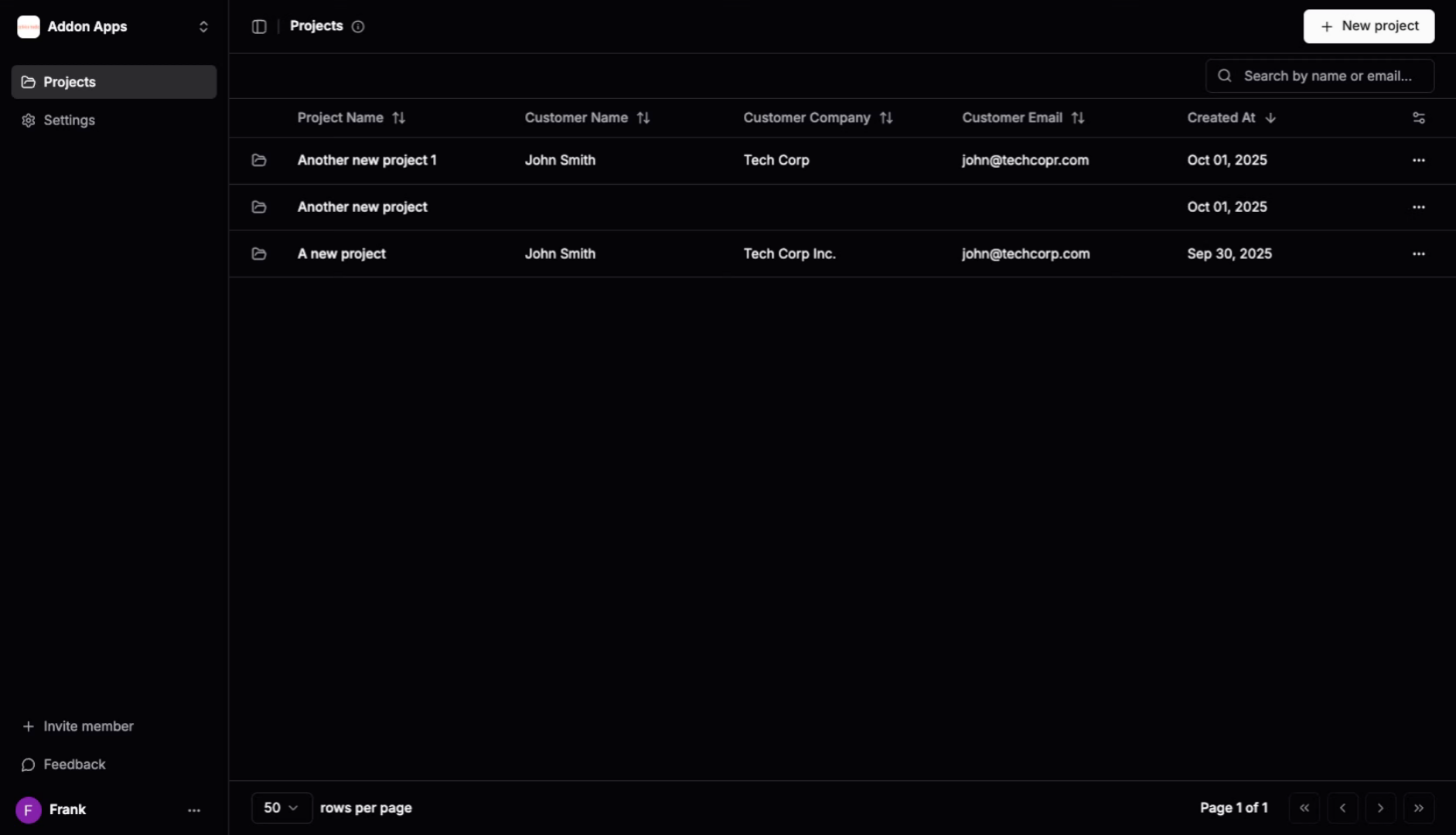
2. Open Settings Menu
Click the Settings option in the QuoteScope navigation menu to access your organization configuration options.
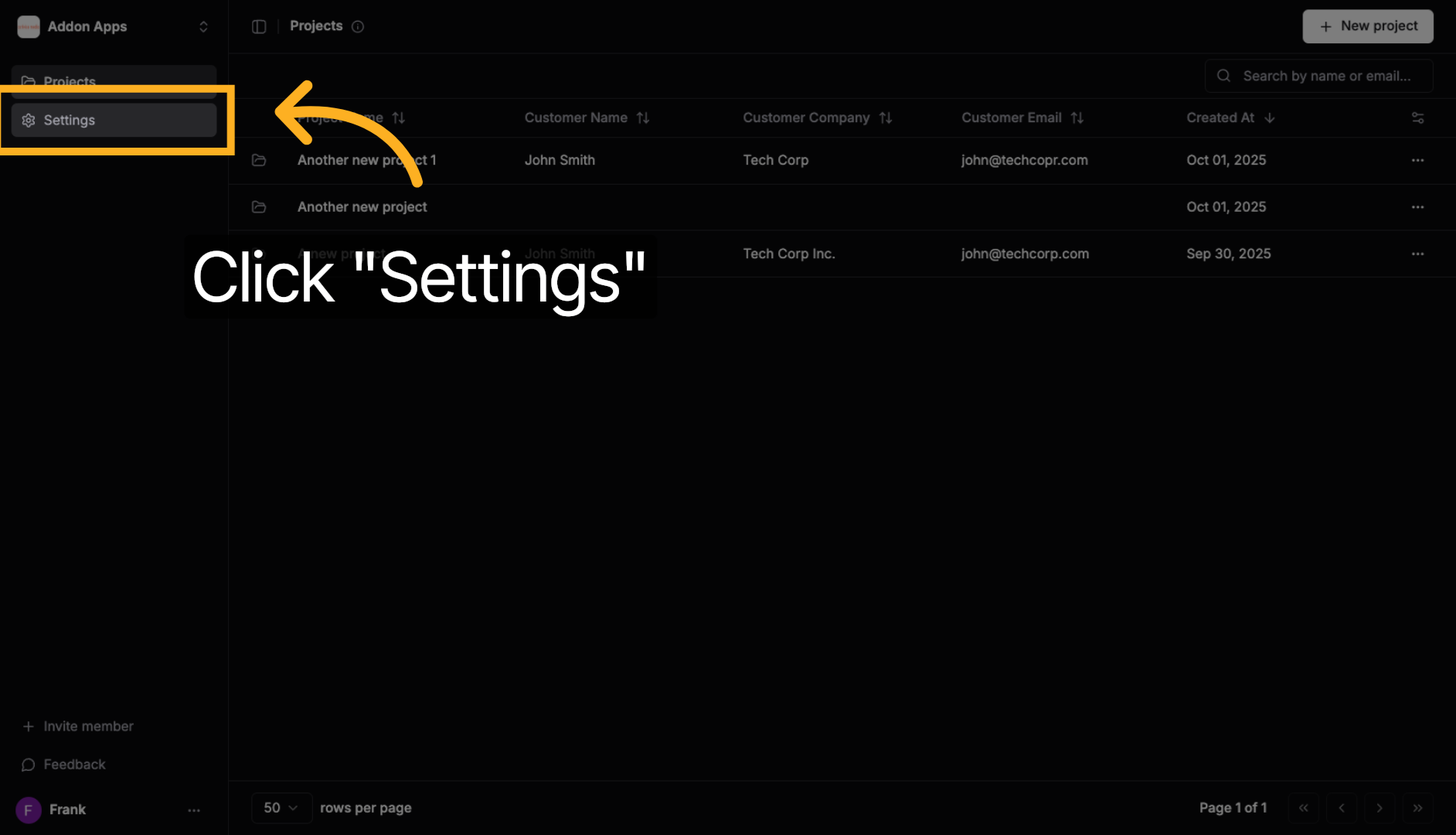
3. Access Integrations Section
Click the Integrations tab to view all available third-party connections and integrations for your organization.
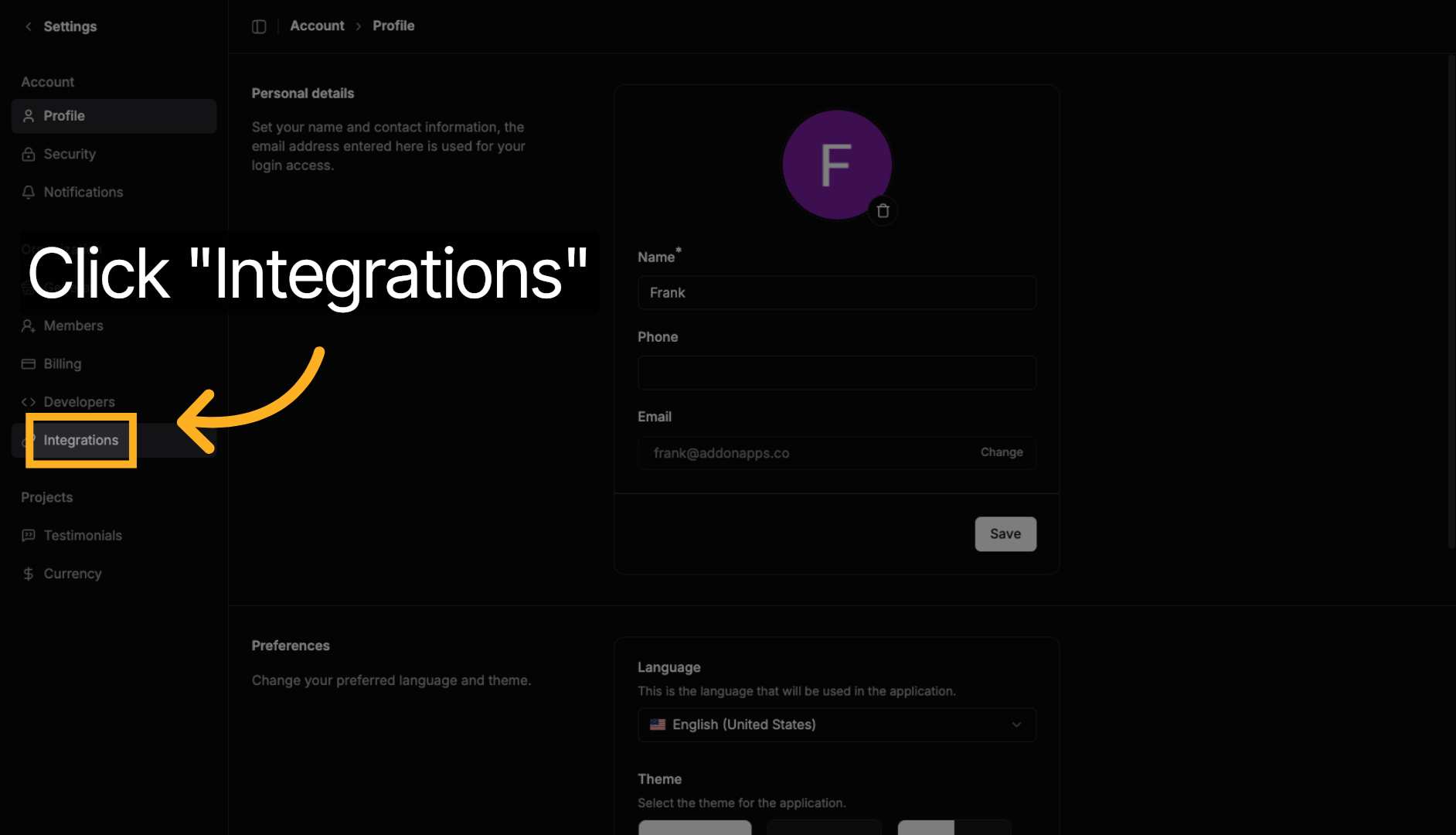
4. Initiate Xero Connection
Click the Connect to Xero button to start linking your Xero account with QuoteScope. This will redirect you to Xero's secure authorization system.
5. Authorize on Xero
You'll be redirected to Xero's secure authorization page at authorize.xero.com. This ensures your credentials remain secure throughout the connection process.
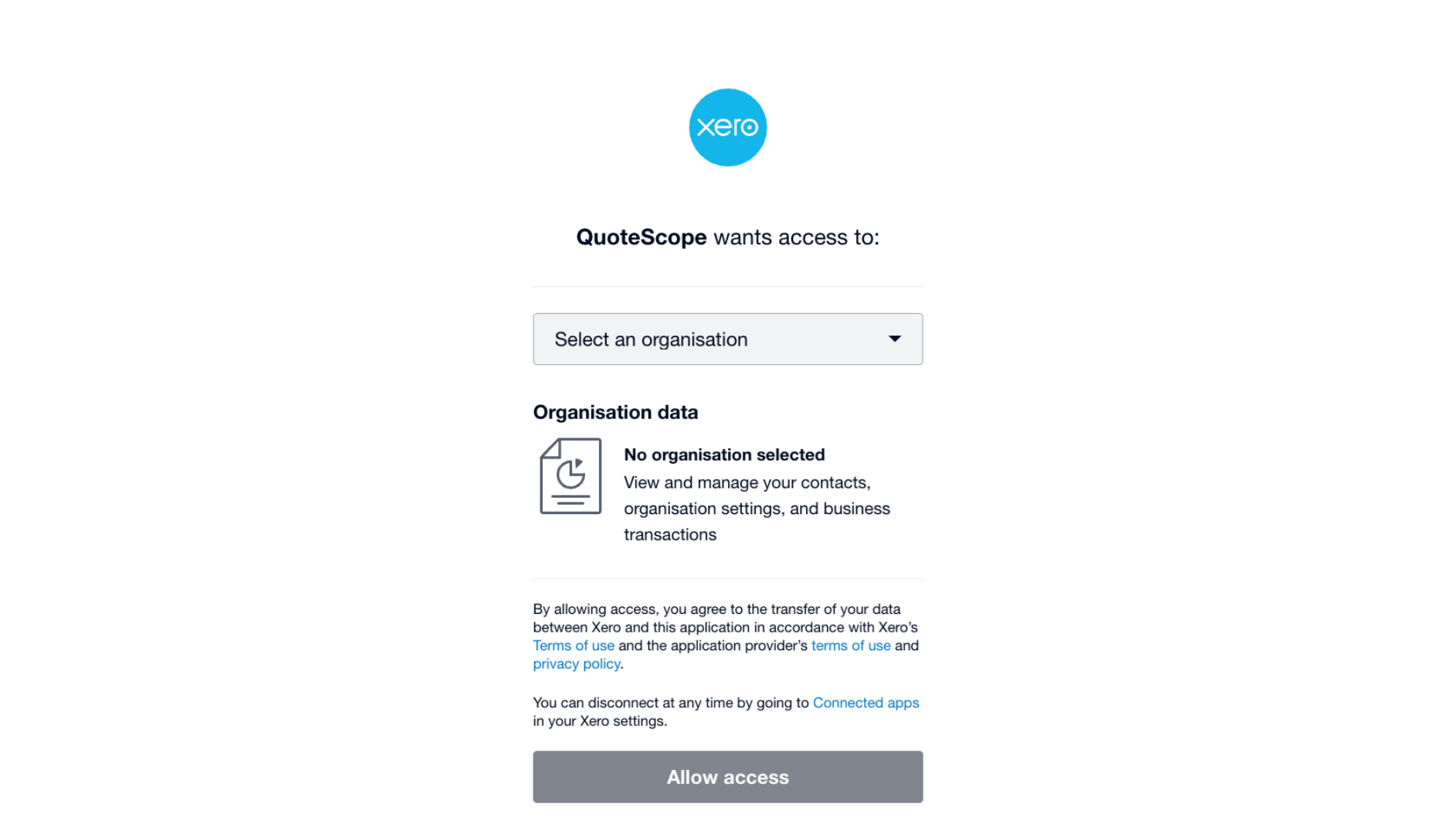
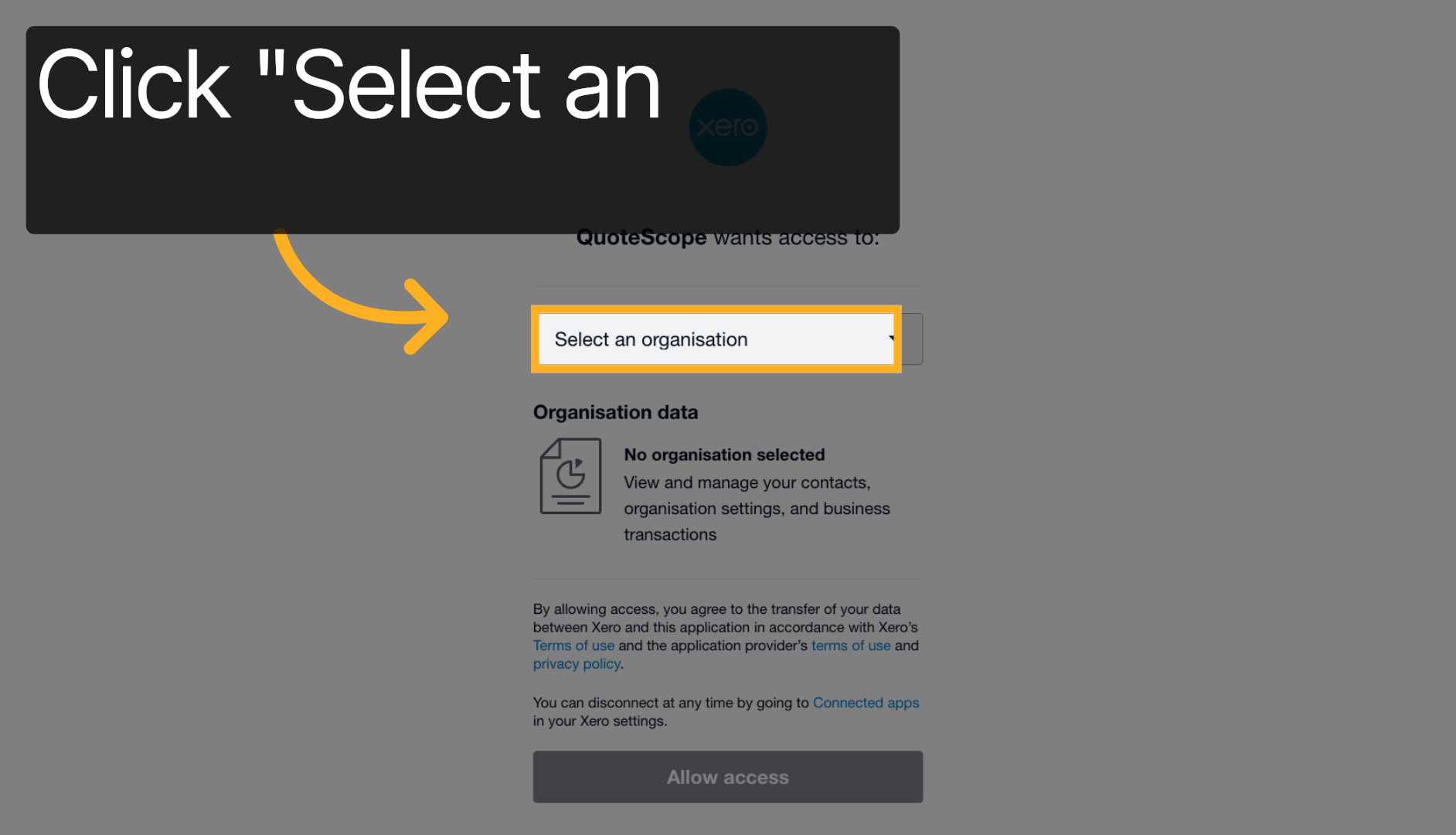
6. Select Your Organization
Click Select an organisation to choose which Xero organization you want to connect to QuoteScope. This is important if you have access to multiple Xero organizations.
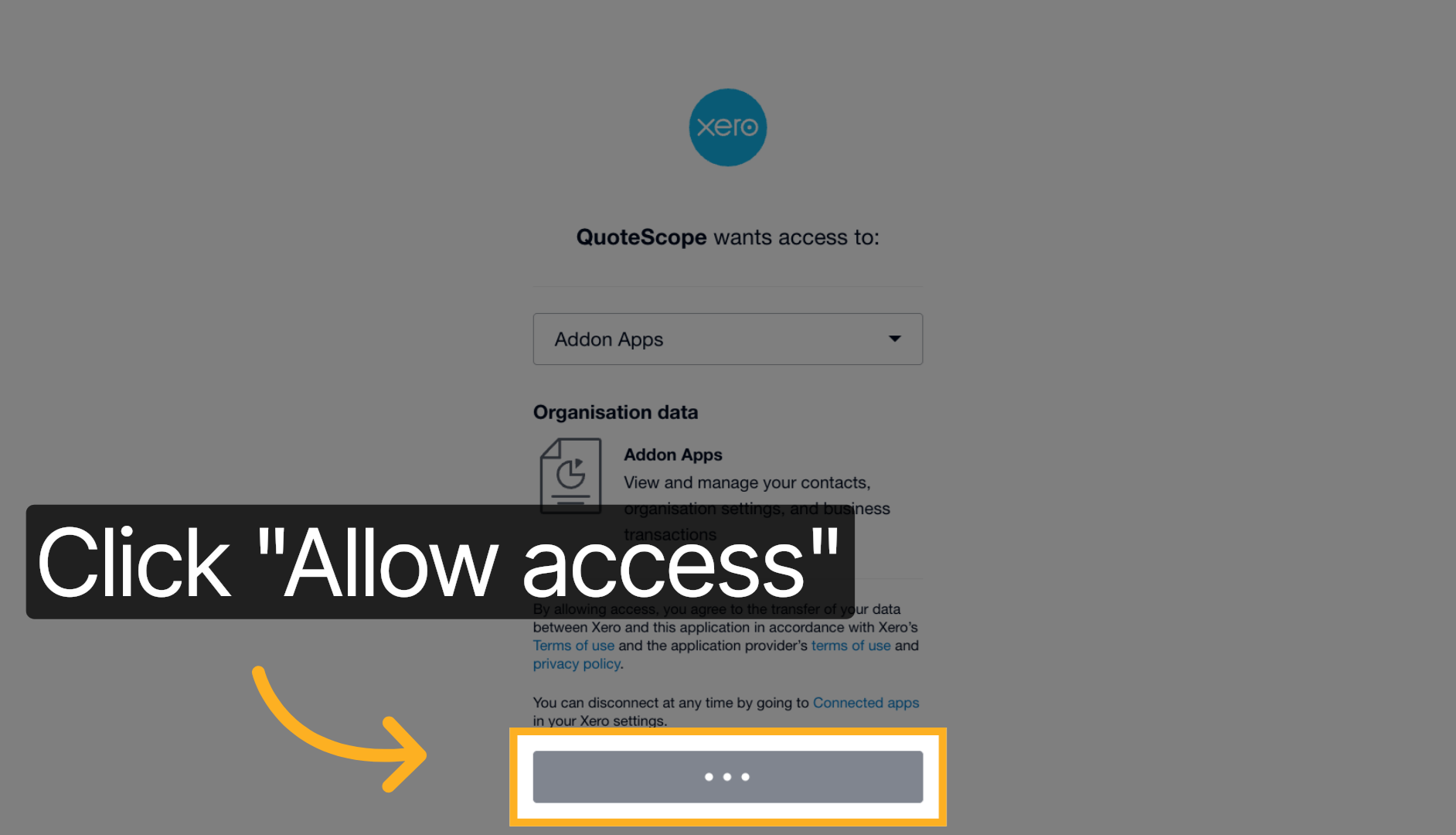
7. Grant Access Permission
Review the permissions that QuoteScope is requesting and click Allow access to authorize QuoteScope to securely access your Xero data for draft invoice creation and contact management.
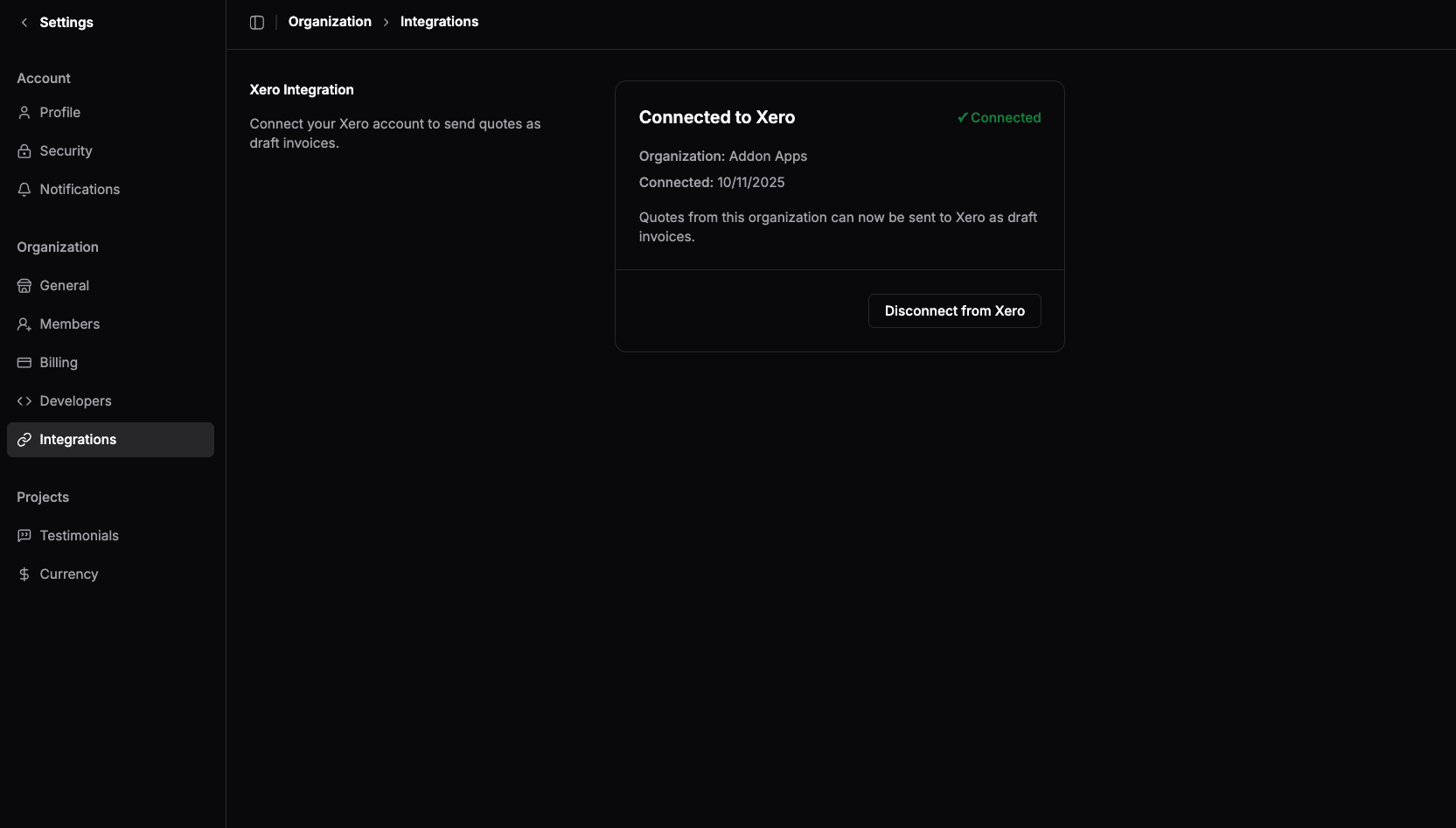
✅ Connection Successful
Congratulations! You have successfully connected your Xero account to QuoteScope. Your integration is now active and ready to use.
You'll be redirected back to the QuoteScope integrations page, where you'll see a confirmation that your Xero account is now connected.
Need help? Contact our support team if you encounter any issues during the Xero integration process.