
Publishing Quotes
Learn how to publish your quotes and share them with clients using a special client link.
Publishing Quotes
Publish your completed quotes to generate a special client link that you can share via email or any other method. Clients can open this link to view and accept your quote.
Important: Once published, quotes become locked and cannot be edited. Make sure your quote is complete and reviewed before publishing. If changes are needed later, you'll need to copy the quote and create a new version.
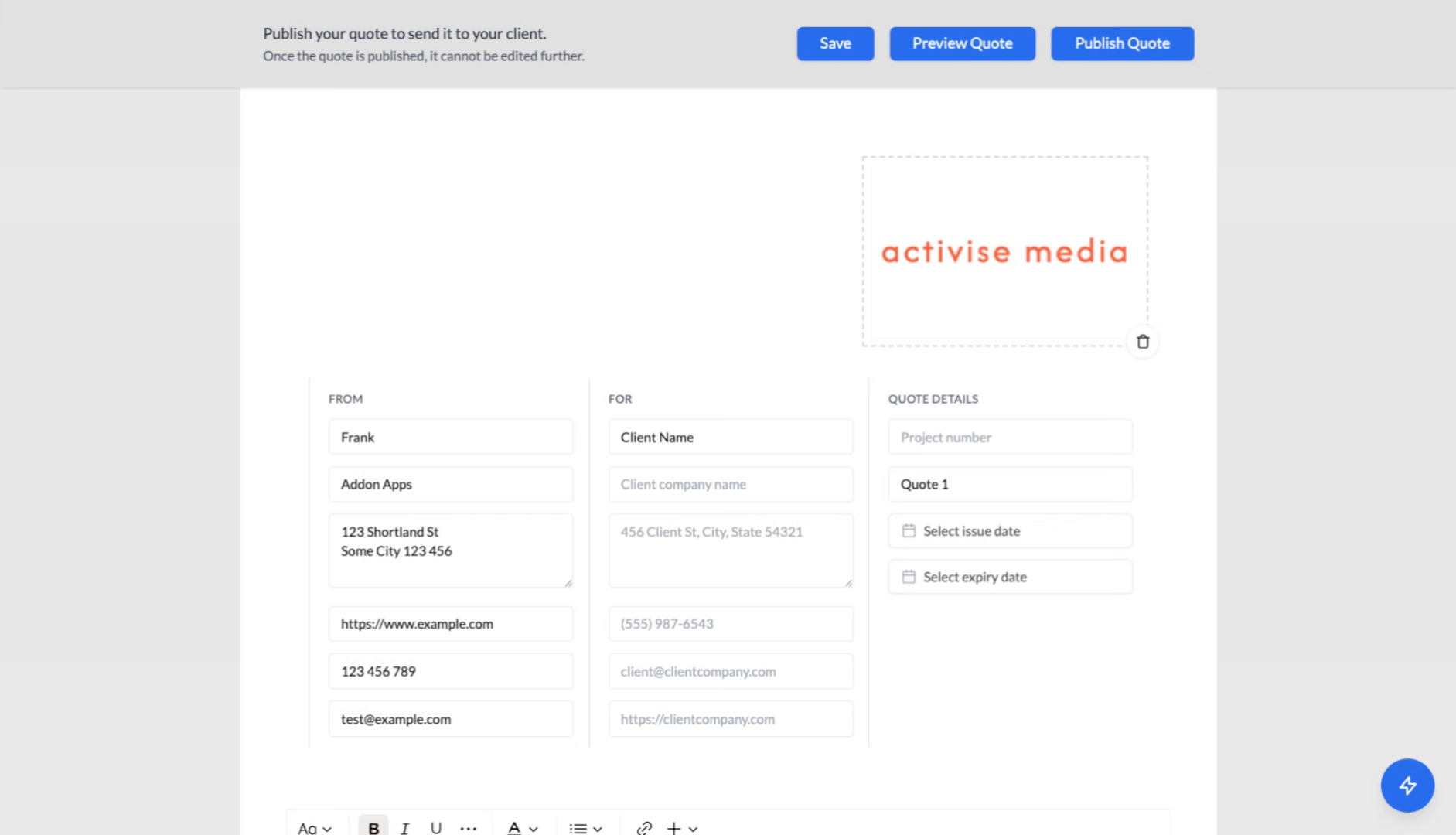
1. Quote Ready for Publishing
Ensure your quote is fully prepared and ready for client review before proceeding with publication.
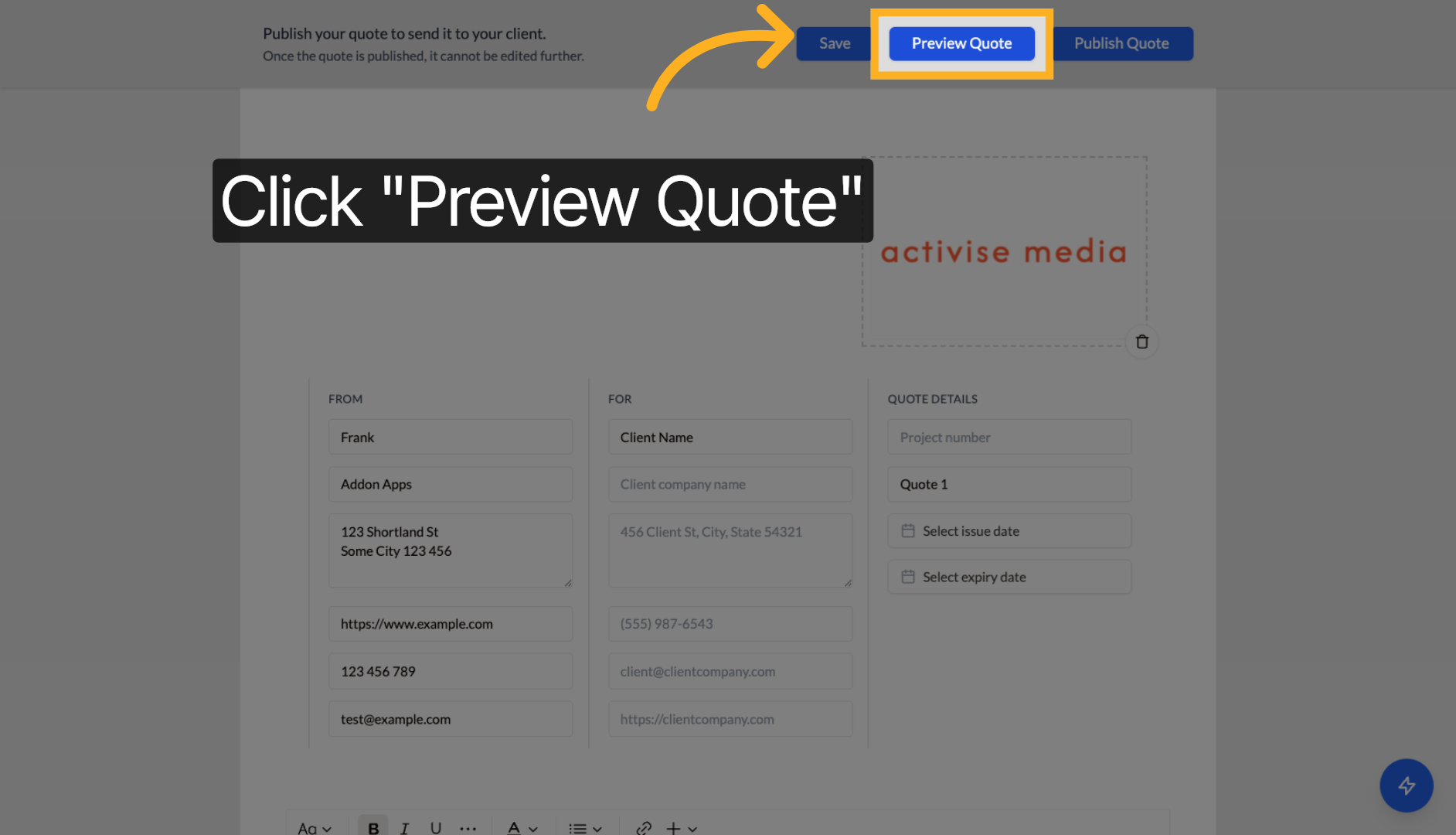
2. Preview Your Quote
Click "Preview Quote" to review how the quote will appear to your client, ensuring all details are accurate and complete.
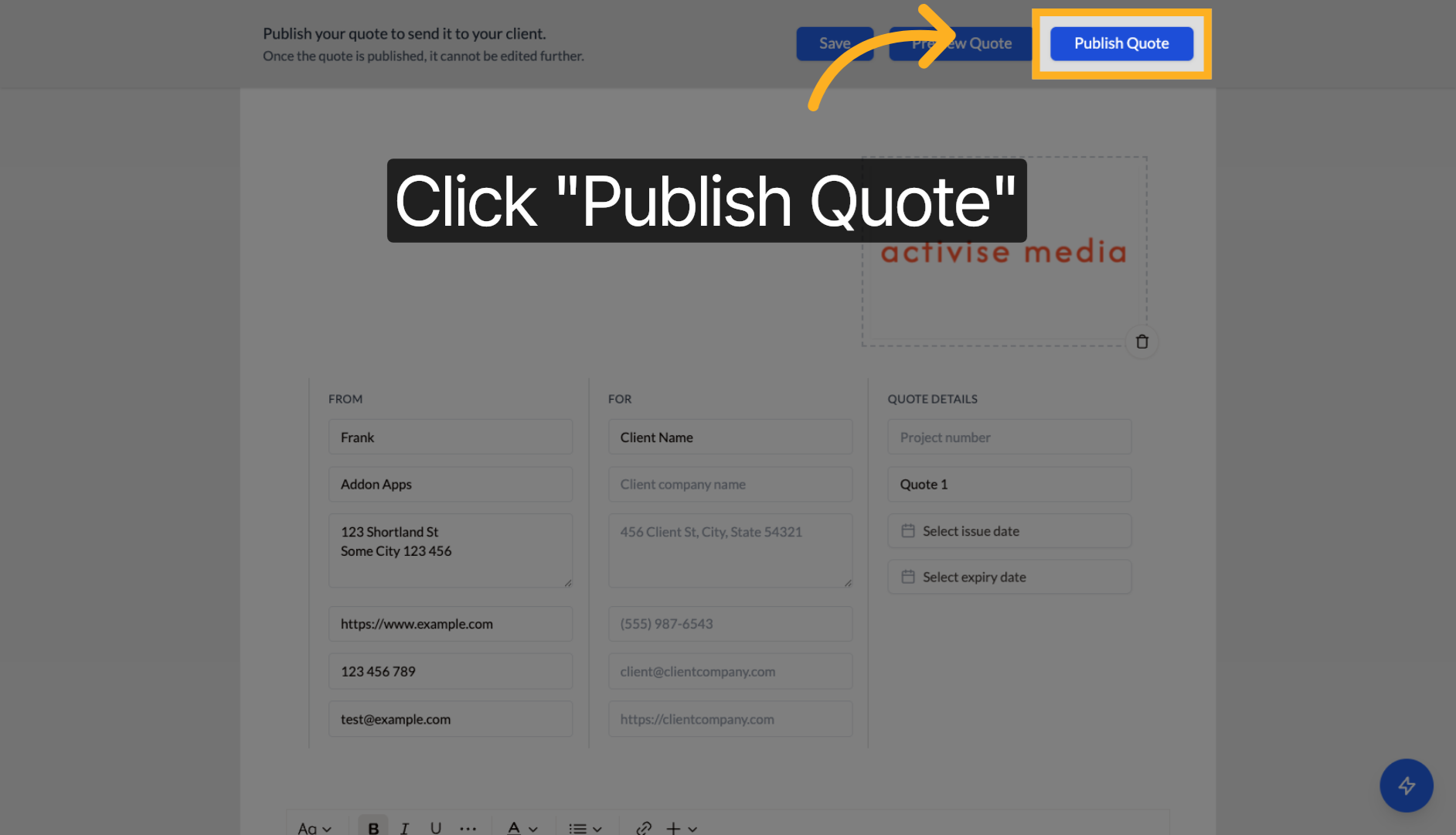
3. Publish the Quote
Click "Publish Quote" to make the quote officially available and generate the special client link.
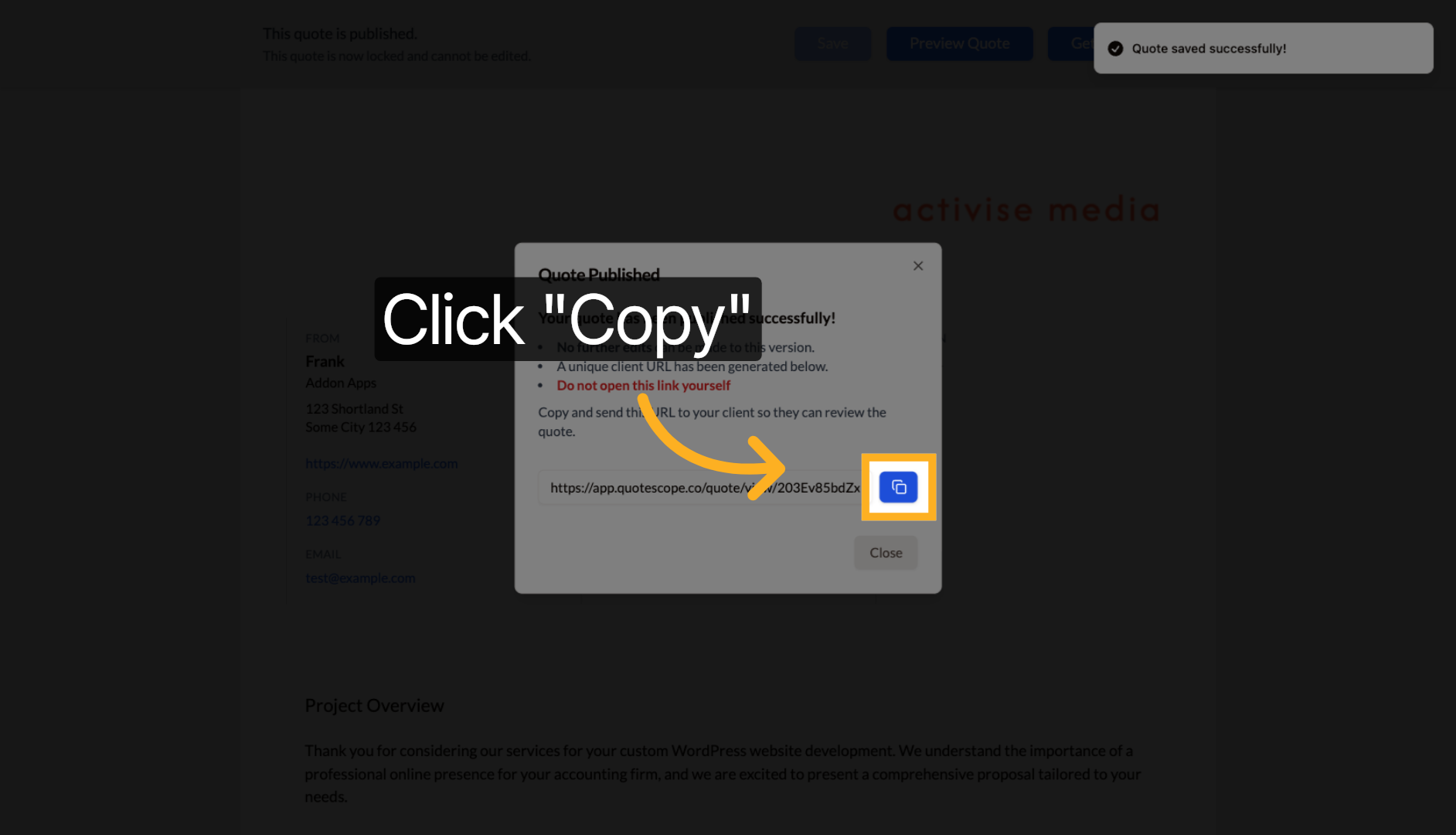
4. Copy the Client Link
Click "Copy" to copy the special client link. You can then send this URL to your client via email or any other communication method.
Important Notes About Published Quotes
Quote Locking
Once published, your quote becomes locked and no further edits can be made to this version. The "Publish Quote" button will change to "Get Client Link" for future access.
Client Link Access
- Do not open the client link yourself - it's designed specifically for your client
- You can retrieve the client link anytime by returning to the quote and clicking "Get Client Link"
- The unique client URL allows your client to review and accept the quote
Tip: Always ensure your quote is complete and reviewed before publishing, as you cannot edit it afterward. The client link is permanent and designed exclusively for client access.
Next steps: Learn about creating quote copies or explore tracking quote status.